 Splitlet
TenantProof sent
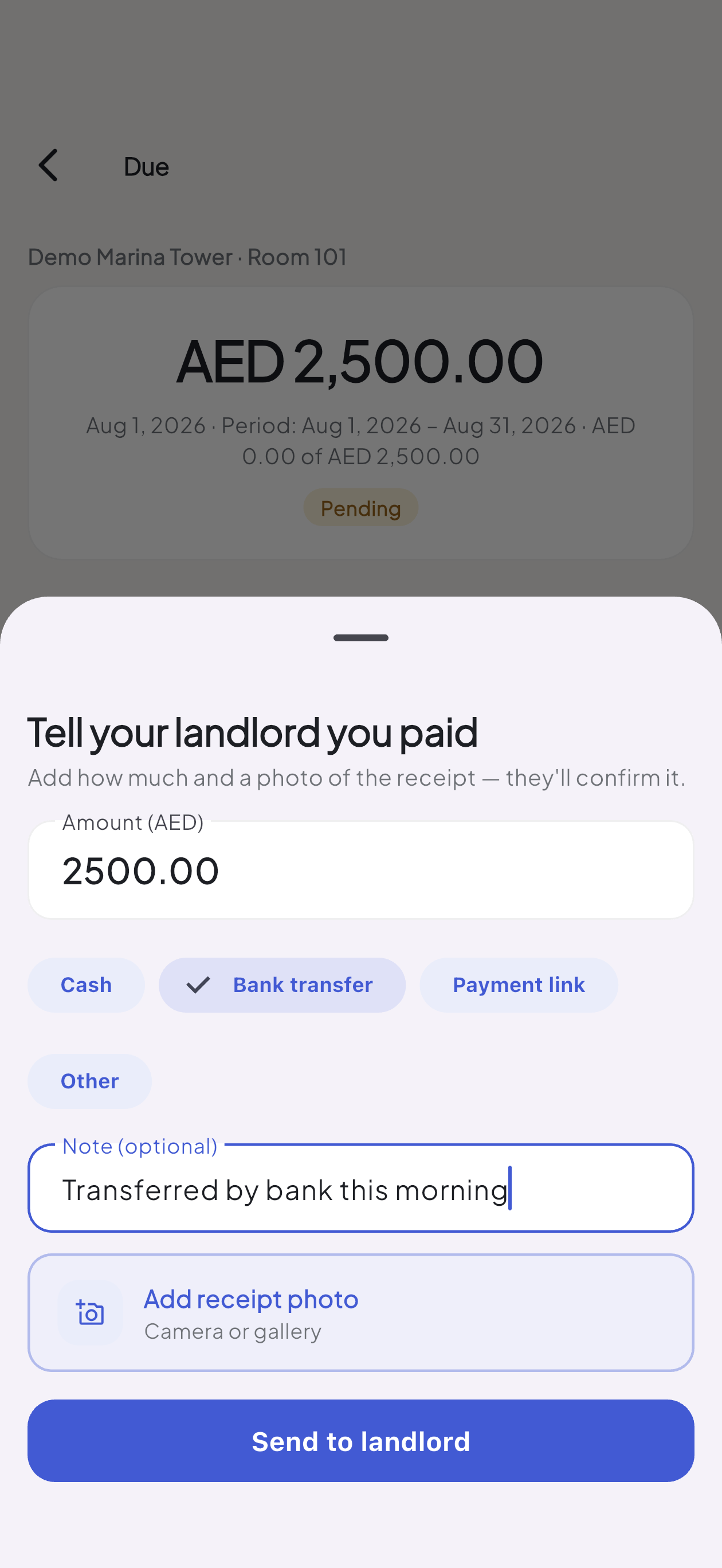
The tenant sends the payment details.
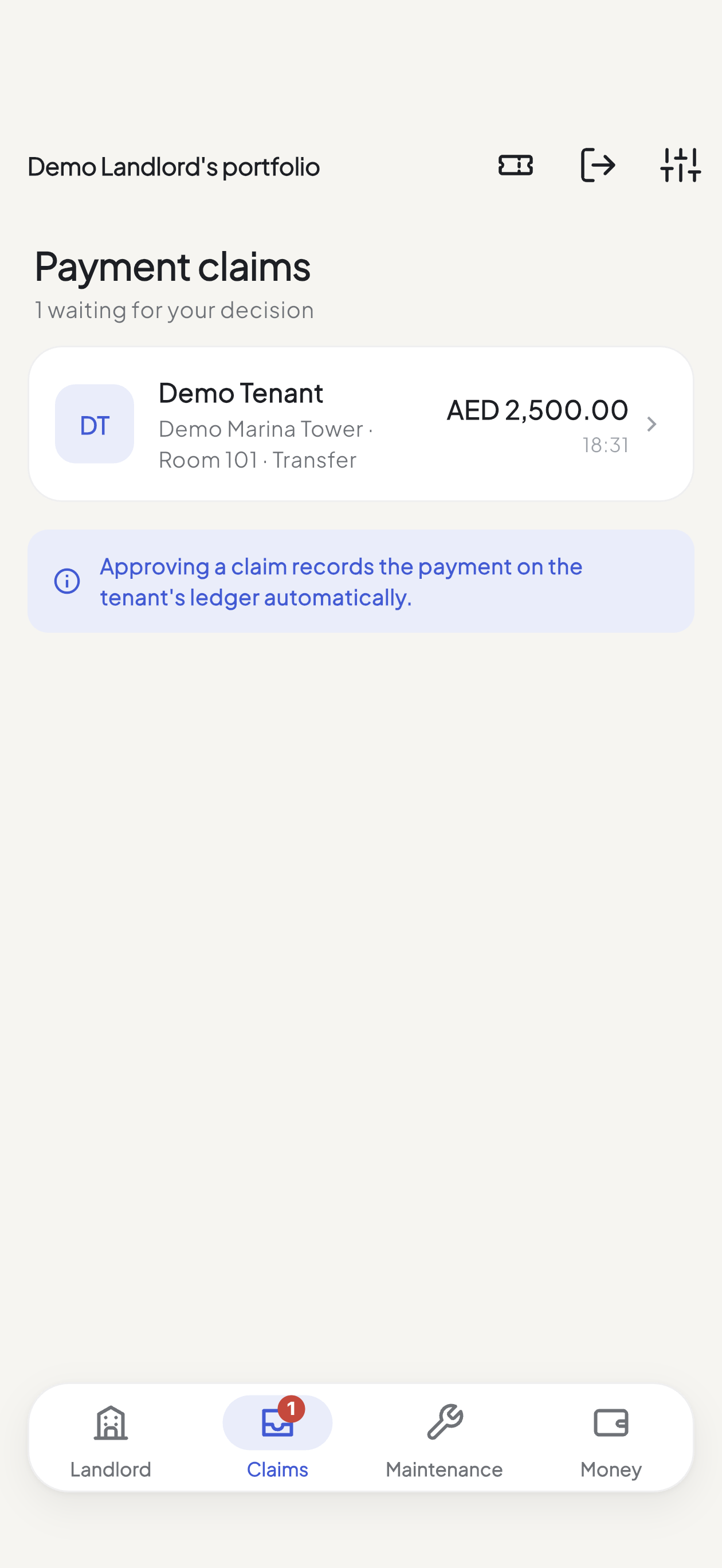
Your tenant pays, snaps a photo of the receipt and sends it over. You look at the amount, the note and the picture, then tap approve. The rent is marked paid for you.
Room-rental operations, made clear
Splitlet helps you look after every room, partition and bed space you rent out — who has paid, who hasn't, and what needs fixing. Simple enough for one flat, ready when you have twenty.
Real Splitlet screens. Local demo tenancy. No recreated dashboard.
Payment proof, end to end
This is the actual tenant-to-landlord flow, captured from Splitlet. The amount, method and note stay attached to the exact rent due; approval writes the payment to the ledger automatically.
Your tenant pays, snaps a photo of the receipt and sends it over. You look at the amount, the note and the picture, then tap approve. The rent is marked paid for you.
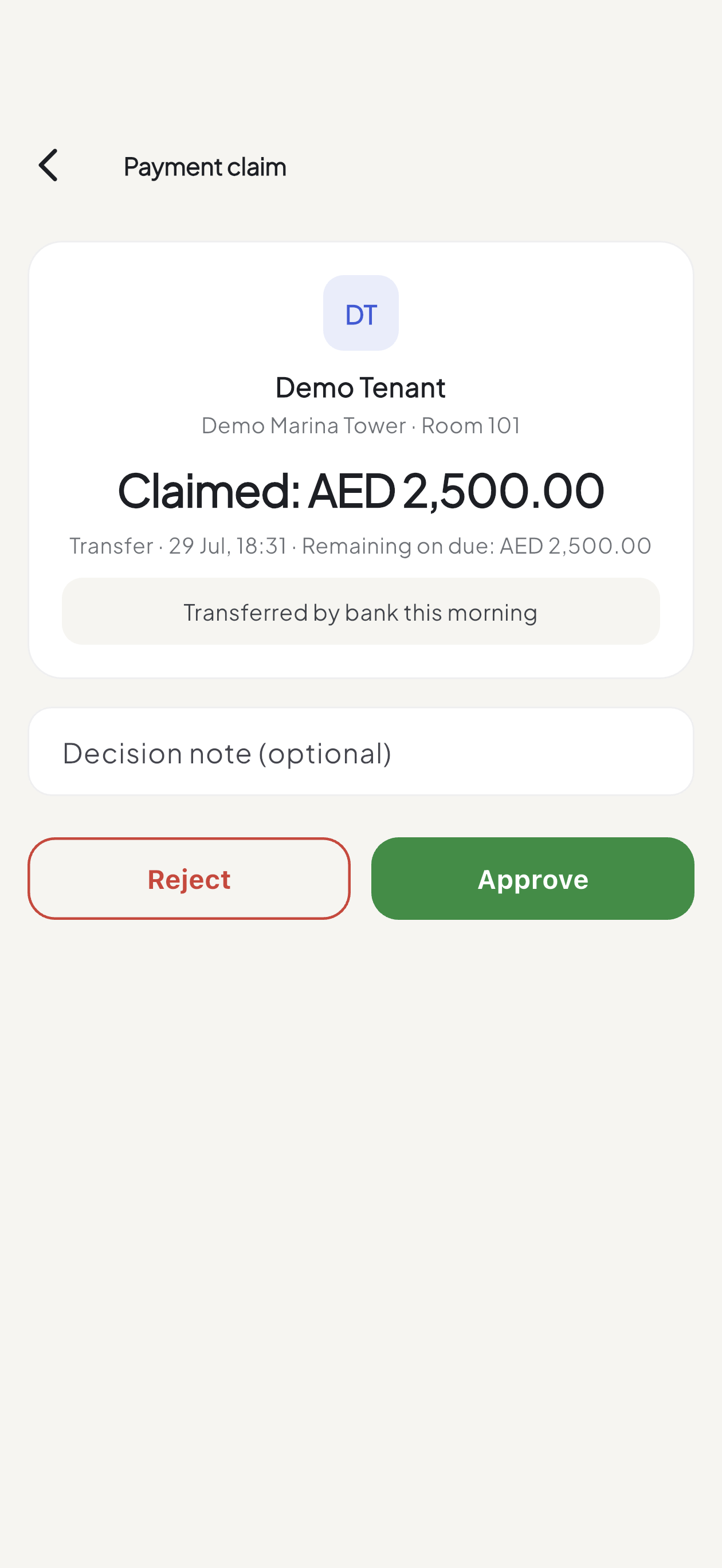
Approve or reject with a note and a photo to look at.
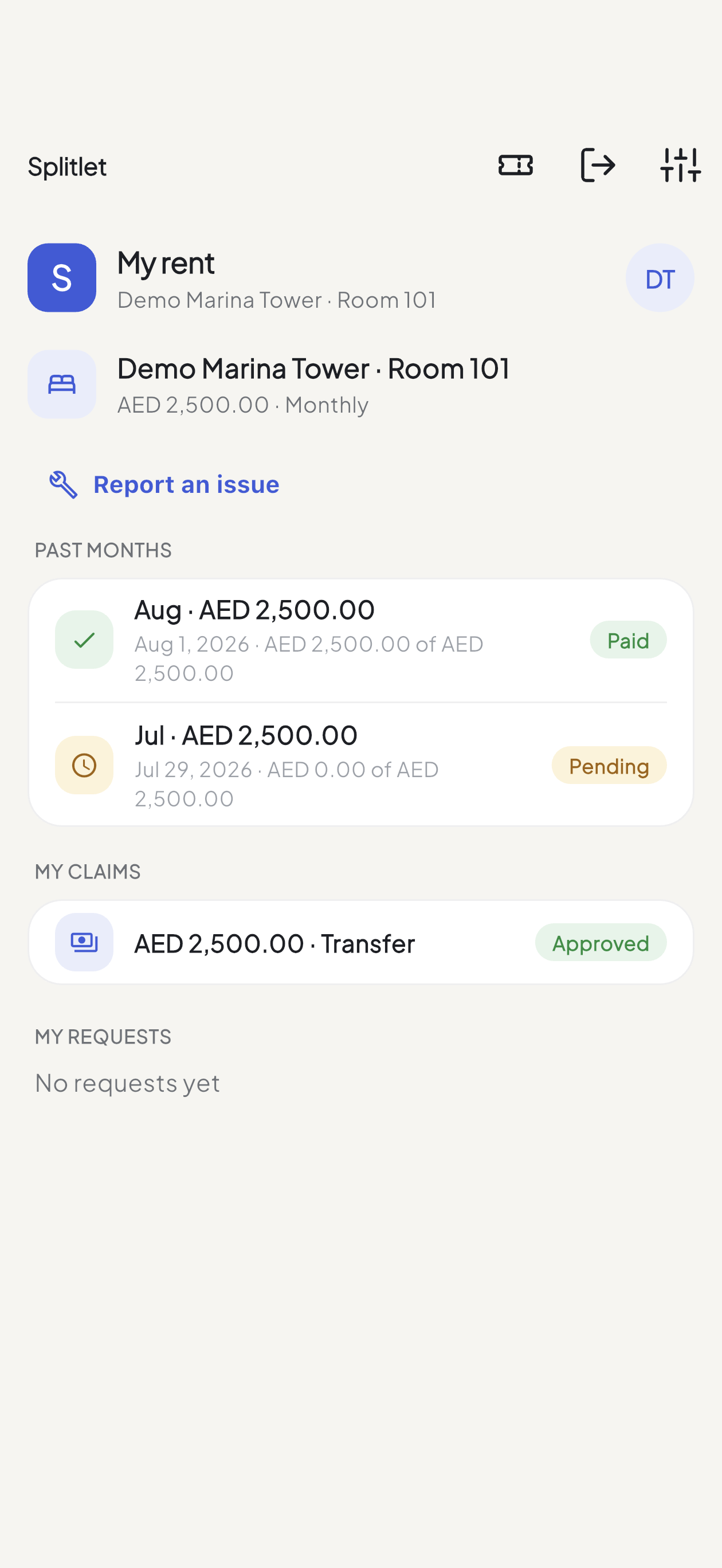
The due becomes paid and the claim becomes approved—one outcome, visible to the tenant and landlord.
Two roles · one source of truth
You get the full picture. Your tenants only see their own room. And anyone you bring in to help sees only what you let them.
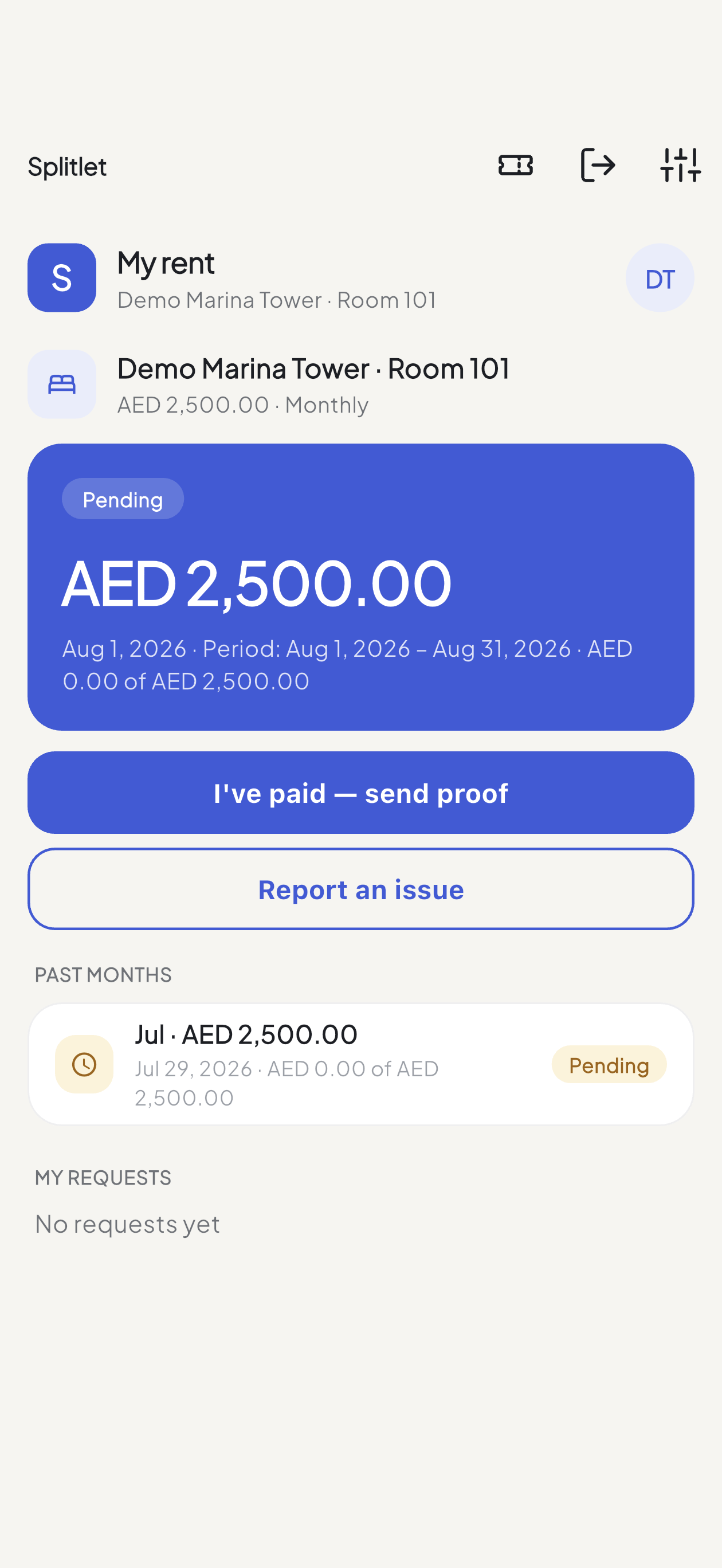
A clean start
Property, unit, tenant, rent, cycle, due day. Two minutes on the web or in the app.
Splitlet gives you a short code for each tenant. Copy it, or send it straight on WhatsApp.
7SWK9HNDPU5NThey tap “Have an invite code?” on the very first screen — no account to make first. From then on dues, receipts and repairs are one record you both read.
Built for the UAE
Dubai · Abu Dhabi · Sharjah · Ajman · Ras Al Khaimah · Fujairah · Umm Al Quwain — a field on the property, not free text.
Amounts stored in minor units so partial payments never drift. Prices stay in Western digits even in Arabic.
Full RTL layout, not a mirrored afterthought — on the web and in both apps.
Because that's where your tenants are. One tap from the tenancy screen.
Control stays with you
Pick exactly what a helper can do — record payments, handle repairs, or nothing at all. You stay the owner.
A caretaker sees the two buildings they look after — not the rest, and not your earnings.
Who changed what and when, in plain language, so nothing ever goes missing quietly.
Delete your account from inside the app whenever you like. Your data goes with it.
Free for everyone during launch. The table shows what pricing will look like when billing goes live — nothing is charged today.
| Plan | Trial Month |
|---|---|
| Monthly price | Free |
| Properties | 5 |
| Units (rooms, partitions, beds) | 25 |
| Included staff seats | 5 |
| Extra seat | — |
| Start free |
Properties, units and staff seats are the metered limits. Every plan includes the whole product: tenancies and invite codes, dues and payments, payment claims, deposits, maintenance, profit & loss, custom roles, the audit log, home-screen widgets, and Arabic & English on iOS, Android and web. Limits and prices are served live from the plans table — this page renders whatever is active, and shows the launch banner alone if that call fails.
Yes — the tenant app, then one 12-character invite code per tenancy. After that they see what's due, how to pay, and can send proof or report a repair. Nothing to configure.
Record the partial amount and the due stays open with the remainder showing. You can waive part or all of it later if you decide to, and both actions are in the audit log.
That's what roles are for. Give them permission to record payments and handle maintenance, scope them to the two buildings they run, and leave money and members off their role entirely.
Yes — every screen, in both apps and on the web, with a right-to-left layout rather than mirrored English. Amounts stay in Western digits so AED figures read the same to everyone.
End it and the tenant loses access, while the ledger — every due, payment and claim — stays with the unit. The unit shows as vacant and is ready for the next tenancy.
See the table above — plans are priced by properties and units, with staff seats included and extra seats billed monthly. Nothing is charged during launch, and you'll be told before that changes.
Splitlet is on iPhone, Android and the web. Free for everyone during launch — you can move your first flat over this afternoon.
Scan to install
Or open the web dashboard at splitlet.com